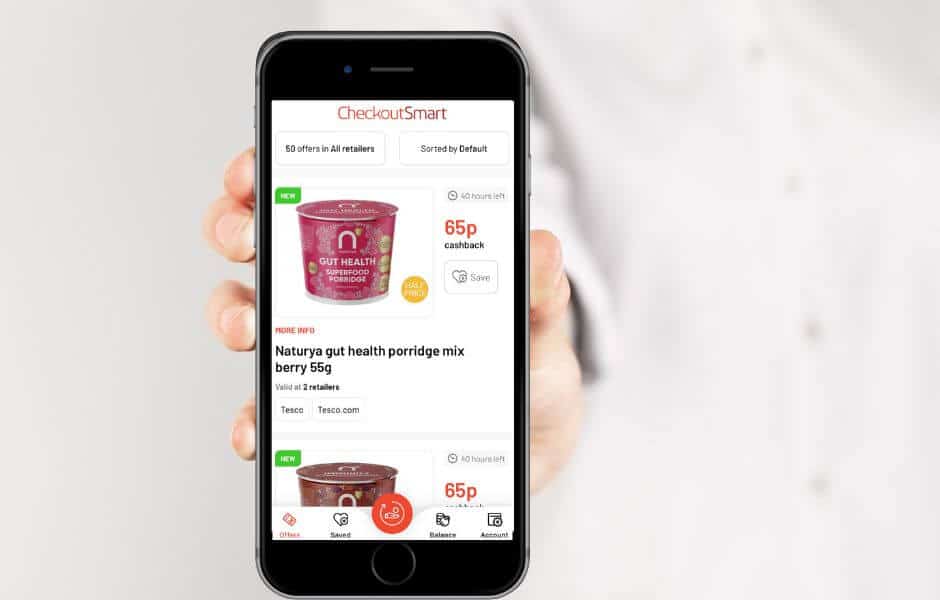
Checkoutsmart Review-How To Use The Checkoutsmart App
This post may contain Affiliate Links
When it comes to saving money on the weekly shop, I love combining special offers, discounts and cashback to make the savings possible. One of my favourite ways to do this is using the CheckoutSmart App – a smartphone app that refunds some or all of the money when you buy certain products.
Here is my Checkoutsmart Review and an overall guide to using the checkoutsmart app.
CheckoutSmart Review
How To Use The Checkoutsmart App
Cashback apps have been gaining popularity in recent years – I have found that they are a brilliant tool for saving money on the weekly shop and picking up a lot of free products along the way. I have previously written a shopmium app review and so today it is the turn of the Checkoutsmart app.
How Does The Checkoutsmart App Work?
The Checkoutsmart app is really easy to use. First, you’ll need to download the app to your smartphone and register your details. You’ll then be able to browse the offers that are available. Some are available at most supermarkets, others will need to be purchased from somewhere specific.
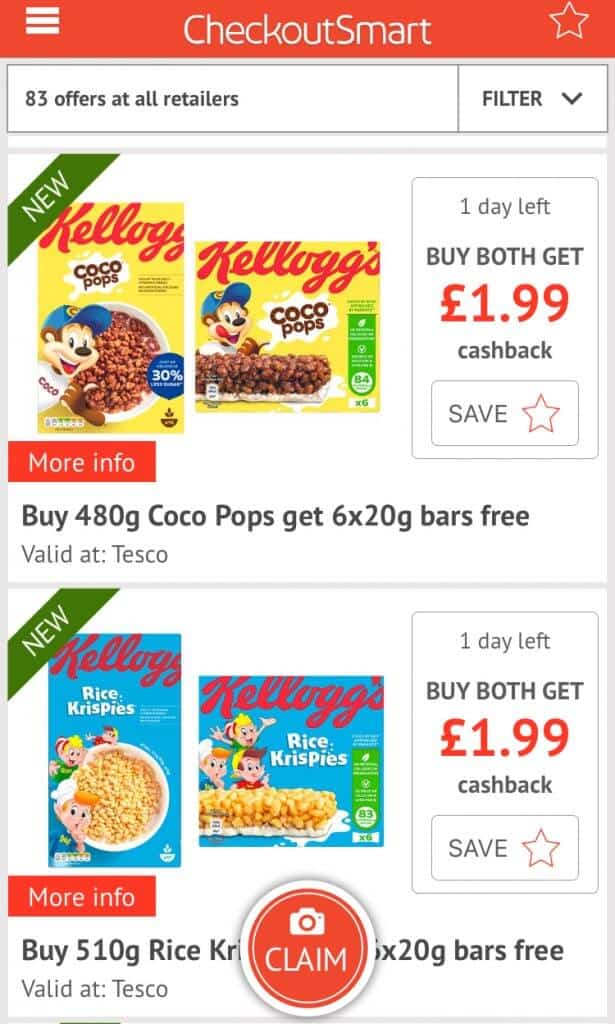
Simply choose an offer, or offers you’d like to claim and purchase from the supermarket listed. Once home, go back into the app and select the offer you want to claim for – the app will prompt you to say which day you purchased and from which supermarket. You’ll then be given a checklist of the offers you can claim for.

Alternatively, you can scan the barcodes of the items you’ve purchased.
Once you’ve uploaded your receipts they’ll be processed and the money added to your account. You can claim this back once it reaches £5 (although this will incur a small fee) or wait until there is £20 to claim back free of charge. Payments can take up to 10 days to reach your bank account.

It’s worth noting that you can also claim offers at some online supermarkets.
What sort of offers does the Checkoutsmart app have?
The checkout smart app offers a wide range of products – these may be from brands you know and love like Kellogs, Ambrosia, McCains and Nieva or there might be newer brands you’ve never heard of. Discounts can range from a few pence off the product to the product being completely free.
Food products I’ve recently claimed from the Checkout Smart app include:
- Beer and Cider
- Baby food pouches, breadsticks and ready meals.
- Premium cooking sauces
- Cereal bars
- Milkshakes and fizzy drinks
- Branded Popcorn and Crisps
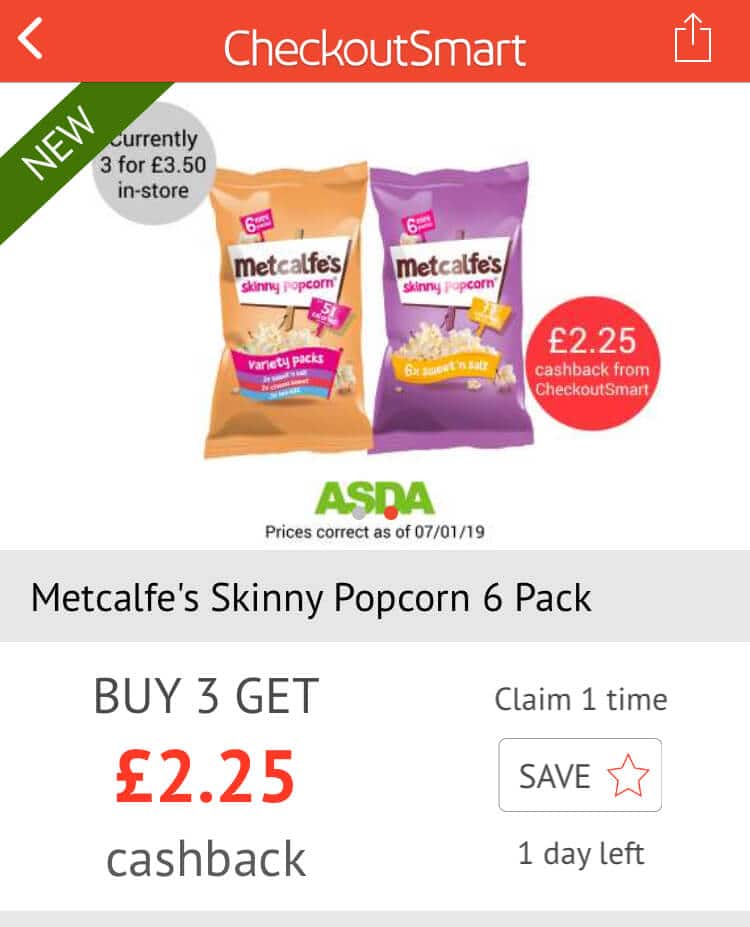
Offers do vary and change all the time, so what I mention here may not be available when you use the app. However, at the time of writing, there were 83 offers available so it’s always worth checking what’s there before you go to the supermarket.
CheckoutSmart app Christmas Offers
In the run-up to Christmas 2019, the Checkoutsmart app had at least one new special offer each day. It was a great way to pick up and stash away items ready for the Christmas period and is one of the main ways I saved on my big Christmas food shop.
Many of the offers included alcohol so this was a plus if you like a drink or wanted to stock up for visiting family.
Lots of these offers were for smaller local shops such as One-Stop meaning they were a little bit more accessible to those not living near a big supermarket.
Definitely something to look out for in the run-up to Christmas 2020.
Can I Use CheckoutSmart When Shopping Online?
Some offers on the Checkoutsmart app can be used in conjunction with an online shop, just take a look at the listed supermarkets when browsing the offers and the supermarkets will be listed as ‘Tesco.com’ or ‘Sainsburys.com’.
Once your online order arrives, follow the normal process for uploading a receipt and your cashback should be awarded as usual.
While there are fewer offers available his way, it’s still a great way to take advantage of some of the offers if you don’t usually visit a supermarket in person
Offer Stacking with the CheckoutSmart App
There are two ways to offer stacking works with the CheckoutSmart app. The first is to combine offers on the app with in-store offers for maximum discounts.
1. There was recently an offer on the Checkoutsmart app for 80p cashback when buying a Homepride slow cooker sauce.
The sauce usually retails at £1.80 so the cashback from the app made it £1. Morrisons were running an offer whereby the sauce was two packets for £2. So, you could buy two packets for £2 and the claim back £1.60 making the sauces just 20p each. This offer was available to claim two times on each flavour of the sauce, meaning you could really stock up for pennies.

A similar offer ran last year where the sauce was down just 10p so I bought eight and donated half to my local food bank, something I’m passionate about supporting. I then combined the sauce with some yellow sticker stewing beef to make an amazing curry with rice and Naan Bread for just 47p each.
2. You can also combine offers on the Checkoutsmart app with offers on other cashback apps. Recently there have been lots of offers on the little dish children’s ready meals.
So, you could buy one and claim £1.25 from the Checkoutsmart app and a further £1.25 from the Shopmium app – thus making the item free after cashback.
Win Money With the CheckoutSmart App
The Checkousmart app has a daily prize draw to win £10 so be sure to always check this box when you upload your receipts. You must tick the box and upload one receipt to be entered. Further receipts uploaded that day will not garner further entries.
Occasionally there will be the opportunity to make money from the Checkoutsmart app. This is usually when a product is on offer in-store and costs less than the offer on the app. On these occasions you’ll be making money, although it’s often usually only a few pennies.
Hints and Tips For Using The CheckoutSmart App
While the Checkoutsmart app is relatively easy to use and has a really simple interface, I still have a few hints and tips to make your experience even better.
-
Always check the flavour, size and weight of the item you’re buying – remember if it’s not the exact product listed you won’t get the money back.
-
Be sure to shop at the listed supermarket for the offer you want to claim – these vary from offer to offer.
-
Some offers require you to buy more than one of a product, so bear this in mind too.
-
If I’m claiming lots of offers in one go, I usually make a list of the exact items I need to buy in case there isn’t any wifi or signal to check the CheckoutSmart app instore while I’m shopping.
-
Some offers are limited to one or two days so you’ll need to be quick. I usually check the app most days as well as having notifications switched on so new offers pop up on my phone. I’m also signed up to the checkoutsmart app mailing list which notifies me of new offers.
-
Photos being uploaded to the app should be clear and bright. Take more than one if you need to and make sure the name of the store, the time and the date are all clearly visible.
-
Keep your receipts even after you’ve uploaded them to the app – sometimes photos may need sending again.
-
Cashback won’t be awarded on yellow sticker items. (Although if you’re a fan of buying reduced food see this post for the best supermarket reduction times)
-
If your partner has a phone, sign them up to the app too for double savings, just remember they’ll need a separate receipt to yours when claiming offers.
-
Most offers can be claimed for a couple of days after the offer date has ended, as long as they were purchased during the offer period.
CheckoutSmart: How To Make The Most Of Offers You Won’t Use
As with most things, not all of the offers on the Checkoutsmart app will be to your liking. There may be freebies or offers for foods you don’t like or won’t use. However, there are a few things you can do with these.
For food that is free or very cheap, I tend to pick it up anyway to donate to my local food bank. As I coupon and use cashback apps a lot, I tend to gather up a bag full over a month and then make one big donation.
I also supplement this with some other supermarket bargains I’ve found, such as 20p jars of baby food. You can find your nearest foodbank via the Trussel Trust.
You could also use items from the Checkoutsmart app to make gifts and hampers.
Many non-perishable items have a long date, so things like chocolate or alcohol could be collected and stored away and then turned into a gift.
One of my first ever posts on this blog was about how I made my Dad a Chocolate hamper for under £3 using all the different cashback offers.
CheckoutSmart Review: Downsides to the CheckoutSmart App
As with everything in life, there are a few small downsides to using the Checkoutmsart app. For me personally none of them are bad enough to put me off using the app, however, they are worth being aware of.
-
The minimum threshold for withdrawing money from the app is £5 and even then this incurs a small fee. For fee-free withdrawal, you’ll need to wait until you get to £20
-
Many of the offers are only available at one supermarket and in my experience a lot of offers free products seem to be Tesco only – frustrating for me as I don’t have one in my town.
-
To absolutely make the most out the app you’ll need to be prepared to visit several different supermarkets on a regular basis. If you live or work in town or city this might be ok, but if you don’t go to supermarkets very often or only ever shop at the one you may decide it’s not worth bothering with.
-
No initial incentive for signing up – with cashback app Shopmium you get a free tub of Ben & Jerries if you’re a new user.
-
If you use cashback app Clicksnap you’ll need to purchase any of the same offers on different receipts.
-
Obviously, you do have to wait for the cashback to be processed which isn’t as good as money off voucher where the discount is immediate.
-
Money can take up to 10 days to reach your account once requested
Are There Other Apps like CheckoutSmart?
If you enjoy using apps like checkoutsmart there are some other shopping apps you may enjoy too.
- Shopmium – Read my full Shopmium Review here.
- GreenJinn – Lots of freebies and discounts especially on vegan food.
Overall I love using the CheckoutSmart app. It has the most offers out of all the cashback apps I use, a wide variety of everyday products as well as well-known brands and lots of free products to try.
More Supermarket Discounts, Coupons & Vouchers
- Finding Coupons To Save Money On Groceries
- How To Save Money On Groceries Without Coupons
- Awesome Free Food Apps To Save You Cash
- Food Shopping Apps To Save You Cash
- Combining Yellow Stickers & Cashback Apps
- Checkoutsmart Review-How To Use The Checkoutsmart App
- Shopmium Review: Why I Love The Shopmium App
- GreenJinn Review: Using the GreenJinn App
- Coupon Shop: 12 Boxes of Cereal for £4.80+ Free Bananas
- How To Become an Extreme Couponer
Looking for more money-saving advice? My Money Saving Guides cover everything from yellow sticker food and second-hand shopping to cashback, Christmas savings and reducing household bills.
I hope my CheckoutSmart review inspires you to give the app a try and start saving money!