Coupon Shop: 12 Boxes of Cereal for £4.80+ Free Bananas
This post may contain Affiliate Links
I love using Coupons and cashback to reduce the cost of my weekly shop, and with inflation at its highest in years, saving money on food is more important than ever. This week I used Checkoutsmart to stock up on cereal with a 75–80% discount.
This week I wanted to show an example of how I shop using cashback and coupons to get massive discounts on my weekly shop.
While these offers won’t be available forever, I’ve been using cashback apps for years and there are always new offers popping up where you can stock up on different items for pennies.
For example, in the past this has included Homepride slow cooker sauces for 10p each and Schwartz casseroles mix for 5p each – on both occasions I was able to buy eight at this price.
I also know not everyone likes yellow sticker shopping – while personally, I love it, it is just one of the many different ways to save money, even when food prices are rising.
Coupon Shop: 12 Boxes of Cereal for £4.80+ Free Bananas
I did two coupon shops this week where I was able to purchase 12 boxes of Kellogg’s cereal for £4.80 making them just 40p a box after cashback instead of the RRP of £2 per box. These all have long dates and weren’t reduced due to having a short date.
Shop 1 (ASDA):
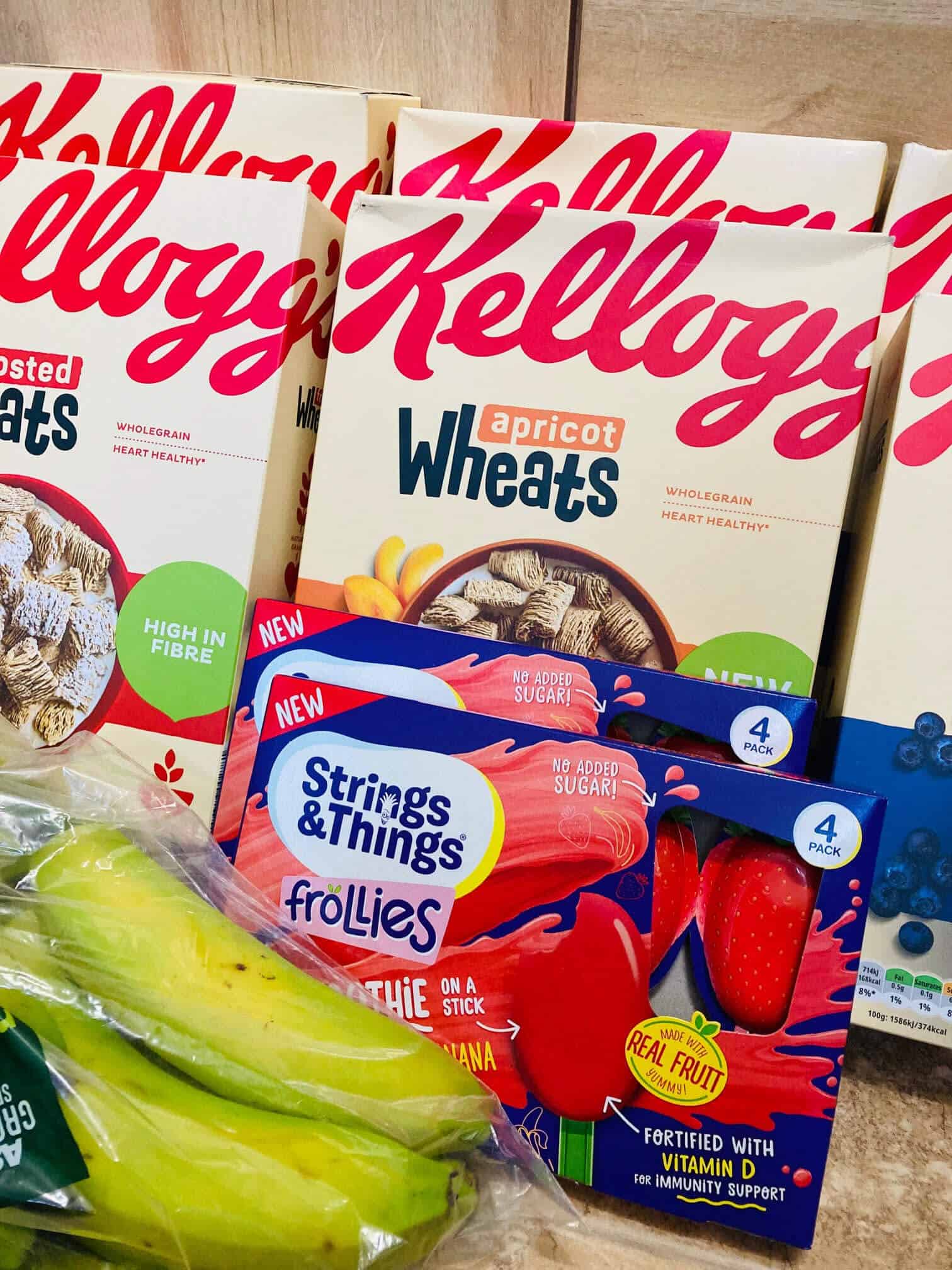
6 x Kelloggs ‘Wheats’ Cereal RRP £10.80 Paid £1.80
2 x ‘Frollies’ RRP £2 (£1.75 each or 2 for £2) Paid 75p
1 x 7 Bananas RRP £1 Paid 0 (freebie, yay!)
Total Before Cashback £13.80 – After Cashback £2.55
These offers were on the Checkoutsmart app and Clicksnap app and I bought them from Asda. There were actually lots of other offers I could have claimed but Asda just didn’t have them in stock.
The offer for the cereal was as follows:
Buy one get £1.50 cashback. The cereal was on offer at £1.80 meaning after cashback I paid just 30p per box. Checkousmart allowed users to claim this offer three times which is what I did.
There were five different varieties to choose from which means we won’t be stuck eating the same thing over and over!
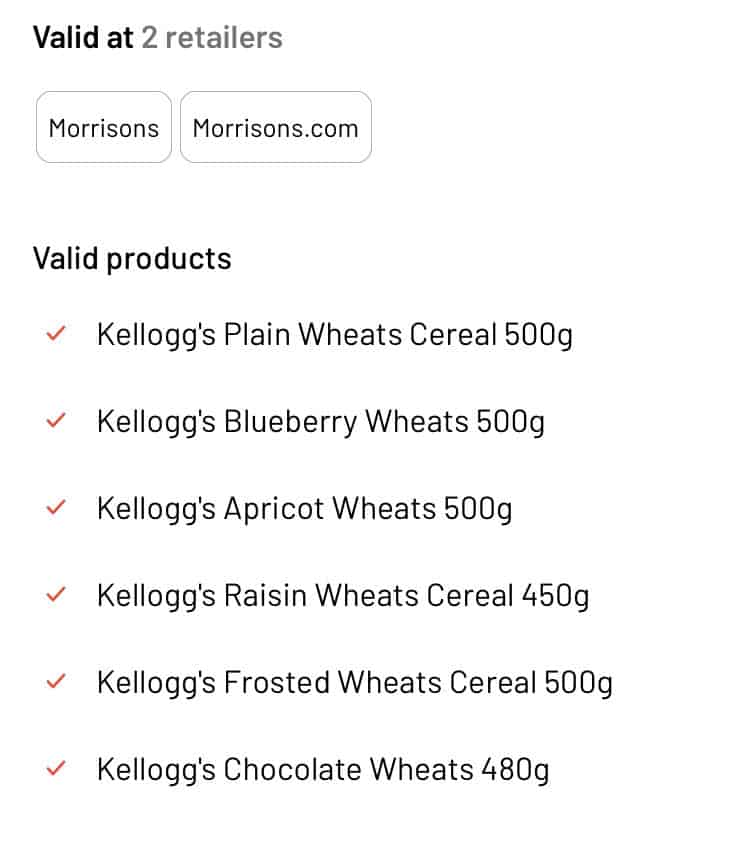
The same offer was also available on the Clicksnap app. So I repeated the whole process again to claim another three boxes at 30p each once my cashback had been paid.
When claiming offers on both of these apps, you will need to get different receipts, which of course can be a pain but I thought it was worth the extra minute at the till for the level of discount I was getting.
Next, the ‘Frollies’ (which are a weird smoothie, yoghurt, lolly hybrid that I bought for my daughter). The offer was buy one product get £1.25 cashback meaning they’d cost 50p, but I thought it was worth taking advantage of the in-store offer of two for £2 and combining it with the cashback. So, in the end, I paid 75p for two packs.
Finally, the bananas were free after cashback. The offer was any own brand bananas up to £1 and Asdas own just happened to cost £1. And that’s how I got my shop down from £13.80 to £2.55.
Shop 2 (Morrisons)
When I got home I took a look through the Checkoutsmart app again and released the same cereal offer was also available at Morrisons.

I did a quick Google to check the price and saw they were currently £2 per box. After cashback this would work out at 50p a box – still a good price in my opinion so I repeated the whole process at Morrisons for another six boxes across both apps.
This time the total came to £12.00 but after the cashback cost just £3.
Related Posts:
8 Food Shopping Apps To Save You Cash
So this week, I’ve purchased 12 boxes of cereal for £4.80 instead of £22.80 a saving of over 75%!
This means we’re well stocked up at home and reducing the cost of our weekly shop as we won’t need to buy cereal for ages. I also gave a couple of boxes to my parents and will be donating four boxes to the local food bank as well.
My husband doesn’t use these apps but if he did we could have doubled up to 24 boxes. If you have a partner that’s keen on couponing too you could both claim these offers, just remember you’d need your own receipts.
How Does Cashback Work?
Once you’ve bought your items, you then upload your receipt to the app you’re using (whether that’s Checkoutsmart, Clicksnap or one of the others – more on those in a moment!) and your cashback is usually processed the same day.
You’ll then need to claim your cashback through the app and request for it to be transferred to your bank or Paypal account. One bugbear with the Checkoutsmart app is there is a 5% fee if claiming less than £20. I usually let it build until I have £20 and then withdraw but I realise not everyone will want to do this.
Other apps, such as Shopmium, pay your cashback straight to you as soon as it clears, which usually takes 2-3 days.
Tips For Using Cashback Apps To Save Money On Food
Now, I do realise having the money available to be able to wait for cashback is a privilege and that I’m lucky to have most of the big supermarkets in easy walking distance of my home.
There are four main cash back apps I use to save money on food:
Checkoutsmart and Clicksnap
I always check all four of these apps before going shopping. Some offers are available at all of the big supermarkets, some might only be available at one.
I don’t have a Tesco in my hometown and miss a lot of freebies and great offers because of this!
All of the apps do work slightly differently so it can take some time to get used to how each one operates.
- Make a list of the offers you want to claim before you go shopping. I usually check prices to see how much of a discount I’m getting and whether it’s worth it. Sometimes you can actually make money if a cashback offer stacks with an instore offer.
- Check the size, weight, flavour etc to make sure you have the right variety for the cashback offer. I’ve been stung buying the wrong thing before!
- Some apps have a feature where you scan your items as you shop to ensure you’re purchasing the correct thing.
- Take a look at the cashback apps daily as some offers are only for a limited time period.
- If you’re using offers on both Checkoutsmart and Clicksnap you’ll need separate receipts. This only applies to these two apps though, so offers on Checkoutsmart and Shopmium can be on the same receipt.
- Upload receipts to the apps as soon as you get home – some apps require you to scan your items so do this before you put your shopping away!
I hope this serves as an easy breakdown of how to get started with cashback and how the savings can mount up when combined with in-store offers.
Yes, it does take a little bit of effort, but for me, the savings are usually more than worth it and it does get easier the more often you do. Here’s to hoping for lots more amazing cashback offers in 2022!